

Use this AV PL-525W Setup Guide and Buying Considerations resource to decide whether the Epson PowerLite 525W 3LCD Short Throw Projector belongs in your room plan and to prepare a disciplined installation. The buyer challenge is straightforward: the short-throw design helps define the placement approach, but you still need verified design values before choosing a screen, mounting point, or source format.
This guide centers on the PowerLite 525W and compares it with the Epson PowerLite L210SW, a wireless WXGA short-throw laser projector rated at 4,000 lumens. It also covers the ELPAP07 Wireless LAN Module as a separate accessory decision. Compatibility should be confirmed before that module enters a system design.
Whether you support a church, school, or conference room, the same principle applies. Lock down the room requirements first. Then verify the product details that affect installation, workflow, and total deployment value. The sections below separate confirmed facts from the questions your team should resolve before ordering or drilling mounting holes.
Products at a Glance
- Option 1: Epson PowerLite 525W 3LCD Short Throw Projector
- For projects seeking a short-throw candidate with doc…: Epson PowerLite L210SW Wireless WXGA 3LCD Short Throw Laser Projector (V11HA76020)
- For buyers who have confirmed that ELPAP07 supports t…: Epson ELPAP07 Wireless LAN Module (V12H418P12)
Quick Comparison Table
| Feature | Epson PowerLite 525W 3LCD Short Throw Projector | Epson PowerLite L210SW Wireless WXGA 3LCD Short Throw Laser Projector (V11HA76020) | Epson ELPAP07 Wireless LAN Module (V12H418P12) |
|---|---|---|---|
| Brightness | 4,000 lumens | ||
| Resolution | WXGA | ||
| Best For | Teams planning around the PowerLite 525W after verifying its room-critical specifications and installation documentation. | Projects seeking a short-throw candidate with documented 4,000-lumen output and WXGA resolution, subject to room and workflow verification. | Buyers who have confirmed that ELPAP07 supports their exact Epson projector and required wireless workflow. |
| Throw Type | Short throw | Short throw | |
| Audio | 525W | ||
| Recommended Buyer | Teams planning around the PowerLite 525W after verifying its room-critical specifications and installation documentation. | Projects seeking a short-throw candidate with documented 4,000-lumen output and WXGA resolution, subject to room and workflow verification. | Buyers who have confirmed that ELPAP07 supports their exact Epson projector and required wireless workflow. |
Product Images
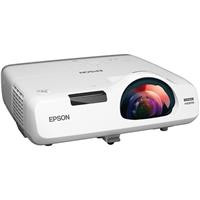
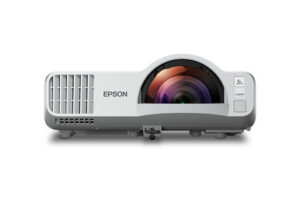
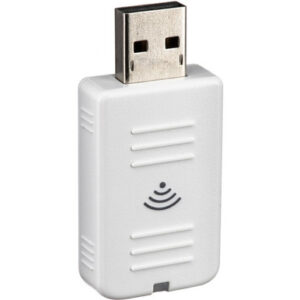
Projector Options from AudioVideoNation
1. Epson PowerLite 525W 3LCD Short Throw Projector
Who should compare it: Teams planning around the PowerLite 525W after verifying its room-critical specifications and installation documentation.
Why it belongs here: It is the exact projector addressed by this setup guide. Its confirmed short-throw format makes placement, screen geometry, and presenter movement central to the buying decision.
SKU: PL-525W
Key Features
- Epson PowerLite 525W model
- Short-throw projection format
- 3LCD projection technology
- Projector SKU PL-525W
Things to Consider
Confirm rated brightness, native resolution, throw-distance data, inputs, mounting requirements, and ventilation clearances before finalizing the design. Use the linked product page for current commerce details.
2. Epson PowerLite L210SW Wireless WXGA 3LCD Short Throw Laser Projector (V11HA76020)
Who should compare it: Projects seeking a short-throw candidate with documented 4,000-lumen output and WXGA resolution, subject to room and workflow verification.
Why it belongs here: It gives buyers a second Epson short-throw option with stated image and light-source facts. The provided data identifies 4,000-lumen brightness, WXGA resolution, laser illumination, and wireless positioning.
SKU: PL-L210SW
Key Features
- 4,000-lumen rated brightness
- WXGA resolution
- Short-throw projection format
- Laser light source and 3LCD technology
- Wireless model designation
Things to Consider
Verify throw distance, connectors, wireless protocols, client support, security options, mounting requirements, and physical fit. Do not assume it can replace the 525W without installation changes.
3. Epson ELPAP07 Wireless LAN Module (V12H418P12)
Who should compare it: Buyers who have confirmed that ELPAP07 supports their exact Epson projector and required wireless workflow.
Why it belongs here: Network presentation may require a separate accessory decision, and the ELPAP07 is identified as an Epson Wireless LAN Module. It should be evaluated independently from the projector purchase.
SKU: ELPAP07
Key Features
- Wireless LAN module accessory
- Epson SKU ELPAP07
- Manufacturer reference V12H418P12
Things to Consider
The supplied data does not establish compatibility with the PowerLite 525W or L210SW. Confirm the supported-projector list, intended wireless functions, network requirements, and security fit before ordering.
Epson PowerLite 525W 3LCD Short Throw Projector vs Epson PowerLite L210SW Wireless WXGA 3LCD Short Throw Laser Projector (V11HA76020): Main Differences
- Choose Epson PowerLite 525W 3LCD Short Throw Projector if Teams planning around the PowerLite 525W after verifying its room-critical specifications and installation documentation..
- Choose Epson PowerLite L210SW Wireless WXGA 3LCD Short Throw Laser Projector (V11HA76020) if Projects seeking a short-throw candidate with documented 4,000-lumen output and WXGA resolution, subject to room and workflow verification..
- Choose Epson ELPAP07 Wireless LAN Module (V12H418P12) if Buyers who have confirmed that ELPAP07 supports their exact Epson projector and required wireless workflow..
Start with deployment fit, not the projector label
The Epson PowerLite 525W is identified as a 3LCD short-throw projector. That tells you the intended placement category, but it does not establish the exact image size available from a specific distance. Use the model’s current throw-distance documentation to calculate placement. A rough estimate based on another short-throw projector can put the mount, cabling, and image in the wrong place.
Begin with the usable screen area. Record its width, height, aspect ratio, and position relative to the audience. Then measure the physical zone in front of it. Note ceiling obstructions, wall depth, lighting, whiteboards, speakers, sprinklers, and presenter traffic. Churches should include sightlines from side seating. Schools need to account for boards and teaching space. Conference room teams should map cameras, displays, and furniture before fixing the projector position.
Ambient light also belongs in the first planning pass. Confirm the 525W’s rated brightness through the linked product page or current Epson documentation, then judge it against the room’s windows, lighting controls, screen, and desired image size. Do the same for native resolution. Those values affect image planning and source configuration, so they should be verified before the design is approved.
Finish the fit check with a source inventory. List every computer, switcher, document camera, media player, or conferencing system expected to feed the projector. Record the required connector, signal format, audio path, and control method for each one. Verify that the projector and the wider AV system can support those paths without relying on unconfirmed adapters or functions.
Epson PowerLite 525W setup sequence
A careful Epson PowerLite 525W setup reduces rework because each decision is tested before the next one becomes permanent.
1. Freeze the room requirements. Define the screen area, viewing positions, primary content, expected lighting, source devices, audio routing, and control workflow. Mark which requirements are mandatory and which are preferences.
2. Verify the exact model documentation. Match the PowerLite 525W name and PL-525W SKU before using a throw chart, connector diagram, mounting instruction, or operating guide. Confirm rated brightness, native resolution, supported inputs, mounting orientations, ventilation clearances, and service access from current documentation.
3. Stage the image before drilling. If the project schedule permits, place the projector temporarily and display content from a real source. Check image size, focus across the screen, framing, sightlines, shadows, and cable reach. A test pattern is useful, but normal slides, spreadsheets, video, and conferencing screens expose practical issues that a grid may not.
4. Correct the physical alignment first. Position the projector and screen so their geometry is as square as the room allows. Make mount adjustments before depending on any digital correction that the verified documentation may support. This protects usable image area and keeps the setup easier to reproduce after service.
5. Install the signal and power paths. Confirm connector types and cable-distance requirements before buying or pulling cable. Provide strain relief, a sensible service loop, and access for maintenance. Keep cabling and nearby construction outside the ventilation clearances stated for the projector.
6. Configure and test every source. Set each source to a signal format supported by the verified projector specifications. Test startup, switching, image acquisition, content playback, and shutdown. If another AV component handles audio or control, validate that path as part of the same session.
7. Document the finished system. Record the mount position, cable routes, source settings, network decisions, and approved operating sequence. Label cables at both ends. Clear documentation helps staff distinguish a source problem from a projector problem without changing settings at random.
Short throw projector installation checks
Short-throw placement makes the area near the screen part of the equipment plan. Small position changes can alter image framing, so use the 525W-specific throw information instead of transferring measurements from another model. Mark the screen edges and projected centerline before committing to a wall or ceiling location.
Check the screen surface from several seating positions. Ripples, uneven boards, trim, and wall transitions can affect the visible geometry of a projected image. If the screen shares space with a teaching board or presentation wall, test the exact content area rather than assuming the entire surface will remain usable.
Human movement matters too. Map where a teacher, presenter, worship leader, or technician will stand and walk. Test whether normal activity crosses the light path or creates distracting shadows. Also confirm that the projector and mount do not interfere with cameras, microphones, speakers, doors, storage, or routine room cleaning.
Mounting hardware, fasteners, and structural attachment should follow the projector documentation, the mount manufacturer’s instructions, and applicable local requirements. Keep access for ventilation and service. If the installation is above occupied space or requires new electrical work, assign that work to qualified personnel.
Run a final image test after the room returns to its normal lighting and furniture layout. A setup that looks correct in an empty, dark room may need different positioning or operating expectations once the space is in use.
Epson PowerLite 525W vs L210SW
The PowerLite 525W and PowerLite L210SW are both Epson short-throw 3LCD projectors according to the supplied product names. The L210SW has several confirmed details that are useful during early design: 4,000-lumen brightness, WXGA resolution, a laser light source, and wireless positioning. The supplied 525W facts establish its short-throw format and 3LCD technology, so its remaining design specifications should be verified before drawing a direct performance conclusion.
Keep the 525W on the shortlist when the project calls for that exact model and its verified documentation satisfies the room plan. This can matter for an organization working from an existing equipment standard, installation drawing, or replacement schedule. Still, the model name alone is not enough to approve a mount location or source format.
Consider the L210SW when your specification needs a short-throw candidate with a stated 4,000-lumen output and WXGA resolution. Those facts make it easier to perform an initial comparison against room and content requirements. Its laser and wireless descriptions also create additional evaluation points, but buyers should verify the operating details behind each one.
Do not treat the L210SW as a drop-in substitute for the 525W. Mounting, throw distance, connectors, controls, network behavior, and physical dimensions must be checked for the exact projector. The right choice is the one that passes the documented room requirements without forcing avoidable changes elsewhere in the AV system.
Wireless projector buying guide for managed rooms
Wireless presentation needs a defined workflow. Decide which devices may connect, whether guests need access, who controls a session, how credentials are handled, and which team owns network support. Schools may need separate rules for teachers and students. Churches may have recurring volunteers and visiting presenters. Conference rooms often need a simple guest path that still meets company security policy.
The PowerLite L210SW is identified as wireless, but the supplied facts do not describe its protocols, client software, security options, or management tools. Verify those details against the devices and network policies in your deployment.
The Epson ELPAP07 is a Wireless LAN Module with manufacturer reference V12H418P12. Treat it as a separate accessory until current Epson compatibility documentation confirms the exact projector relationship. Also confirm the intended wireless functions. A compatible module does not automatically guarantee that every desired presentation, control, or security workflow is supported.
For any wireless design, keep a tested wired presentation path if the room’s operational requirements call for one. Document both workflows so users know which connection to choose and support staff know where to begin troubleshooting.
How to check stock, availability, and price-to-performance
Check each linked AudioVideoNation product page for current stock, availability, and live commerce details. Those facts can change, so they should be reviewed when the design is approved and again when procurement is ready to place the order. If the project has a fixed installation date, confirm that the equipment schedule aligns with mounting, cabling, configuration, and training work.
A useful price-to-performance review starts with pass-or-fail technical requirements. Placement comes first. Then assess verified brightness, native resolution, light-source type, source connectivity, network workflow, and service access. A projector that misses a mandatory requirement is not a sound value for that room, regardless of its current product-page price.
The L210SW gives buyers stated values for 4,000-lumen brightness and WXGA resolution. The 525W requires verification of those design values before they can support a responsible comparison. The ELPAP07 should enter the cost analysis only after compatibility and a real wireless need are confirmed.
Include the rest of the deployment when comparing value. Mounting hardware, cabling, adapters, screen work, network configuration, installation labor, staff training, and support time may all affect the final project. Confirm what is included with each product rather than assuming two projector listings create equivalent systems.
Availability can influence scheduling, but it should not erase the technical checklist. If the preferred product cannot meet the project timeline, repeat the same documented evaluation for any alternative. This keeps a schedule-driven substitution from creating new placement or workflow problems.
Final projector deployment checklist
Before approving the PowerLite 525W or an alternative, make sure the project file answers these questions:
- Is short-throw placement required by the measured room layout?
- Has the exact throw distance been confirmed for the planned image size?
- Are rated brightness and native resolution verified against the room and content?
- Do all sources have a confirmed signal, connector, audio, and control path?
- Are the mount, attachment method, ventilation clearance, and service access approved?
- Has normal presenter movement been tested against the projected light path?
- If wireless presentation is required, are compatibility, client devices, security, and support ownership documented?
- Have current commerce details been checked on the linked product pages?
- Does the total project comparison include required accessories and installation work?
Record the source and date for every specification used in the design. Then have the installer, technology owner, and primary room users review the same plan. That short review catches mismatched assumptions before they become expensive changes in the room.
Related AudioVideoNation Links
- Browse Projector at AudioVideoNation
- Epson PowerLite 525W 3LCD Short Throw Projector
- Epson PowerLite L210SW Wireless WXGA Short Throw Laser Projector
- Epson ELPAP07 Wireless LAN Module
Product Information Sources
- Epson PowerLite 525W 3LCD Short Throw Projector product information
- Epson PowerLite L210SW Wireless WXGA 3LCD Short Throw Laser Projector (V11HA76020) product information
- Epson ELPAP07 Wireless LAN Module (V12H418P12) product information
FAQ
Is the Epson PowerLite 525W a short-throw projector?
Yes, the Epson PowerLite 525W is identified as a 3LCD short-throw projector. Use its exact throw-distance documentation to calculate the mounting position for your planned image size.
What should I verify before mounting the PowerLite 525W?
Verify the exact throw distance, rated brightness, native resolution, mounting instructions, ventilation clearance, inputs, and service access before mounting the PowerLite 525W. Test the image and normal room workflow before drilling whenever the project schedule allows.
How does the PowerLite L210SW differ from the 525W in the provided data?
The provided L210SW data states 4,000-lumen brightness, WXGA resolution, a laser light source, wireless positioning, short throw, and 3LCD technology. The supplied 525W facts confirm short throw and 3LCD, so verify its other design specifications before making a performance comparison.
Can the Epson ELPAP07 Wireless LAN Module be used with the PowerLite 525W?
Use the ELPAP07 with the PowerLite 525W only if current Epson compatibility documentation explicitly confirms support. The supplied product data identifies the accessory as a Wireless LAN Module but does not establish that model relationship.
How should buyers compare projector price-to-performance?
Compare price-to-performance only after each projector passes the room’s mandatory placement, image, connectivity, workflow, and service requirements. Review live commerce details on the linked pages, then include accessories and installation work in the project-level comparison.
Where should I check current stock and availability?
Check the linked AudioVideoNation product page for each item’s current stock, availability, and live commerce details. Review the page again when procurement is ready because those details can change during project planning.
Conclusion
Use this AV PL-525W Setup Guide and Buying Considerations comparison to match documented specifications to the room and installation requirements. Review the linked product pages for current purchase details before ordering.
Products Used
| SKU | Product Name | URL |
|---|---|---|
| PL-525W | Epson PowerLite 525W 3LCD Short Throw Projector | View product |
| PL-L210SW | Epson PowerLite L210SW Wireless WXGA 3LCD Short Throw Laser Projector (V11HA76020) | View product |
| ELPAP07 | Epson ELPAP07 Wireless LAN Module (V12H418P12) | View product |